Live demo · simulator

Try CodingBox at work — right in your browser

This is the real CodingBox app running against a built-in programmer simulator. Insert a virtual transceiver, read its memory, decode every byte, watch live diagnostics — with no hardware and nothing to install.

No device needed Nothing to install Runs on your machine

Everything runs locally in your browser. The simulator serves real captured module dumps and synthetic profiles — nothing is sent anywhere.
CodingBox Code Editor
Try it live

What you can try

Four sections work end-to-end on simulated modules.

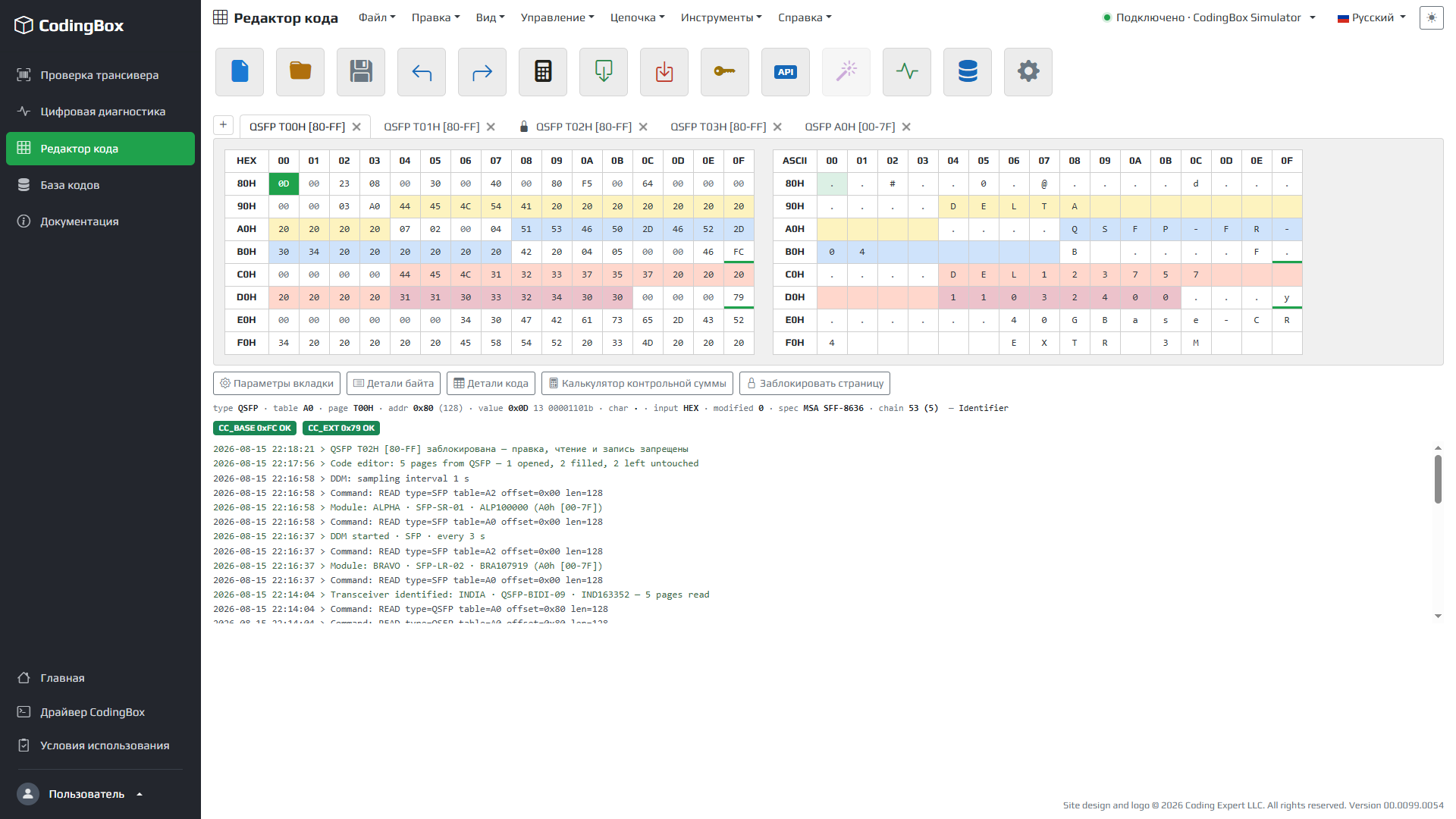
Code Editor

Code Editor

HEX and ASCII tables, memory-page tabs, undo/redo, checksums and byte/bit decoding by SFF-8472, SFF-8636, INF-8077i and CMIS. Edit a page and see fields update.

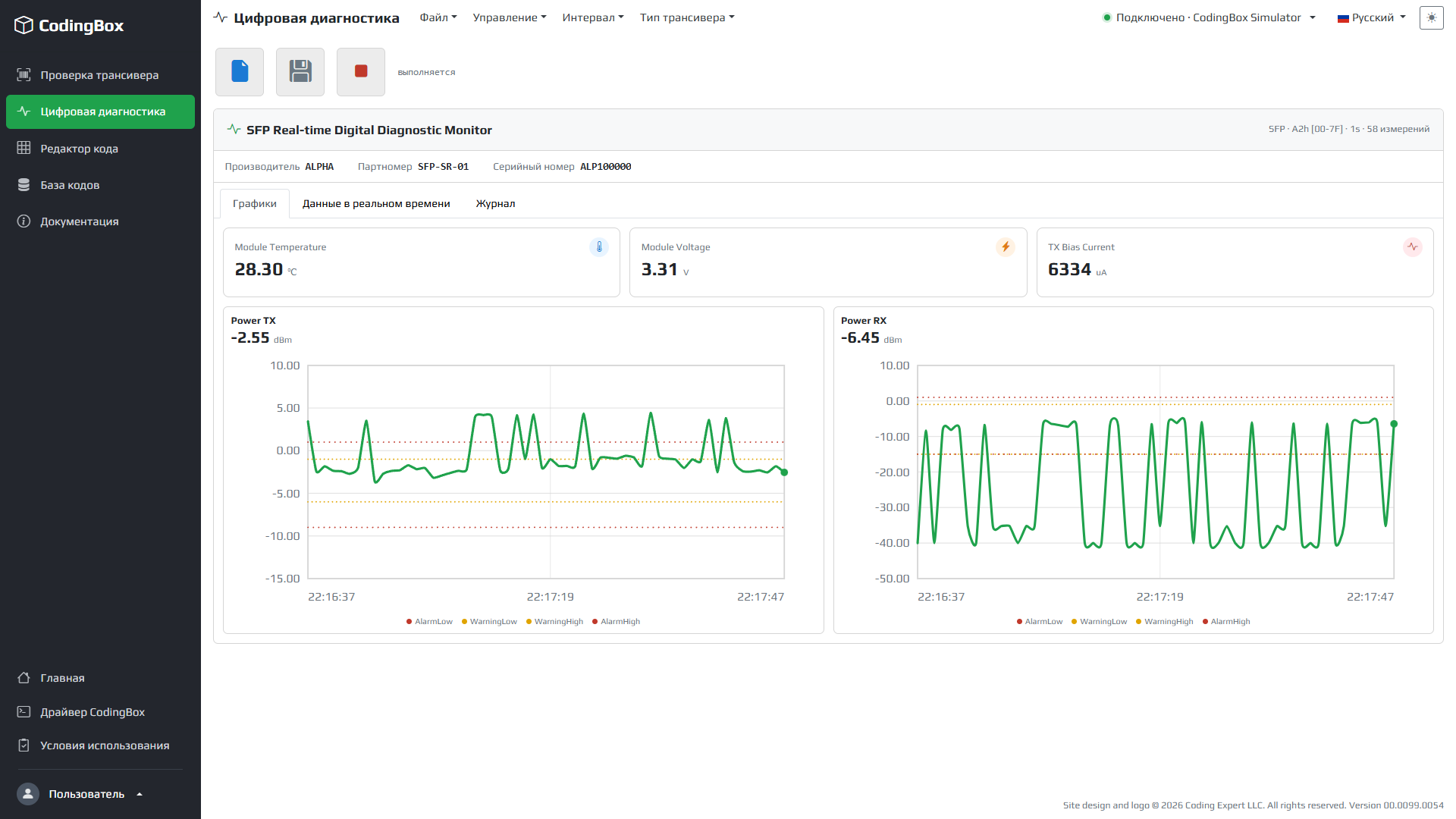
Digital Diagnostic (DDM)

Digital Diagnostic (DDM)

Live polling of a module with sparkline graphs, a value table with Alarm/Warning thresholds, a log and CSV export.

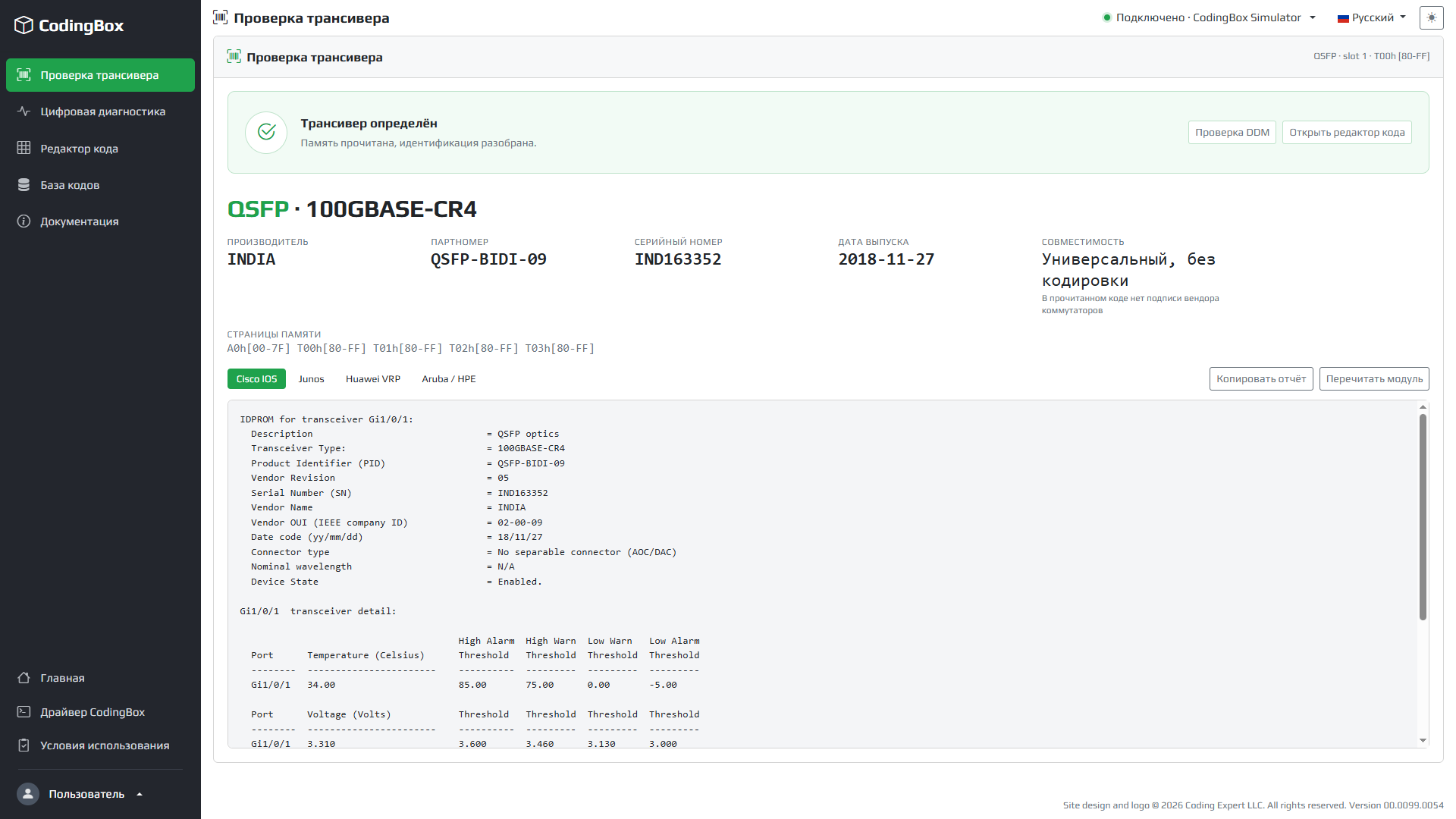
Check Transceiver

Check Transceiver

Read every page on command, get a module card and a text summary in Cisco IOS, Junos, Huawei VRP and Aruba styles.

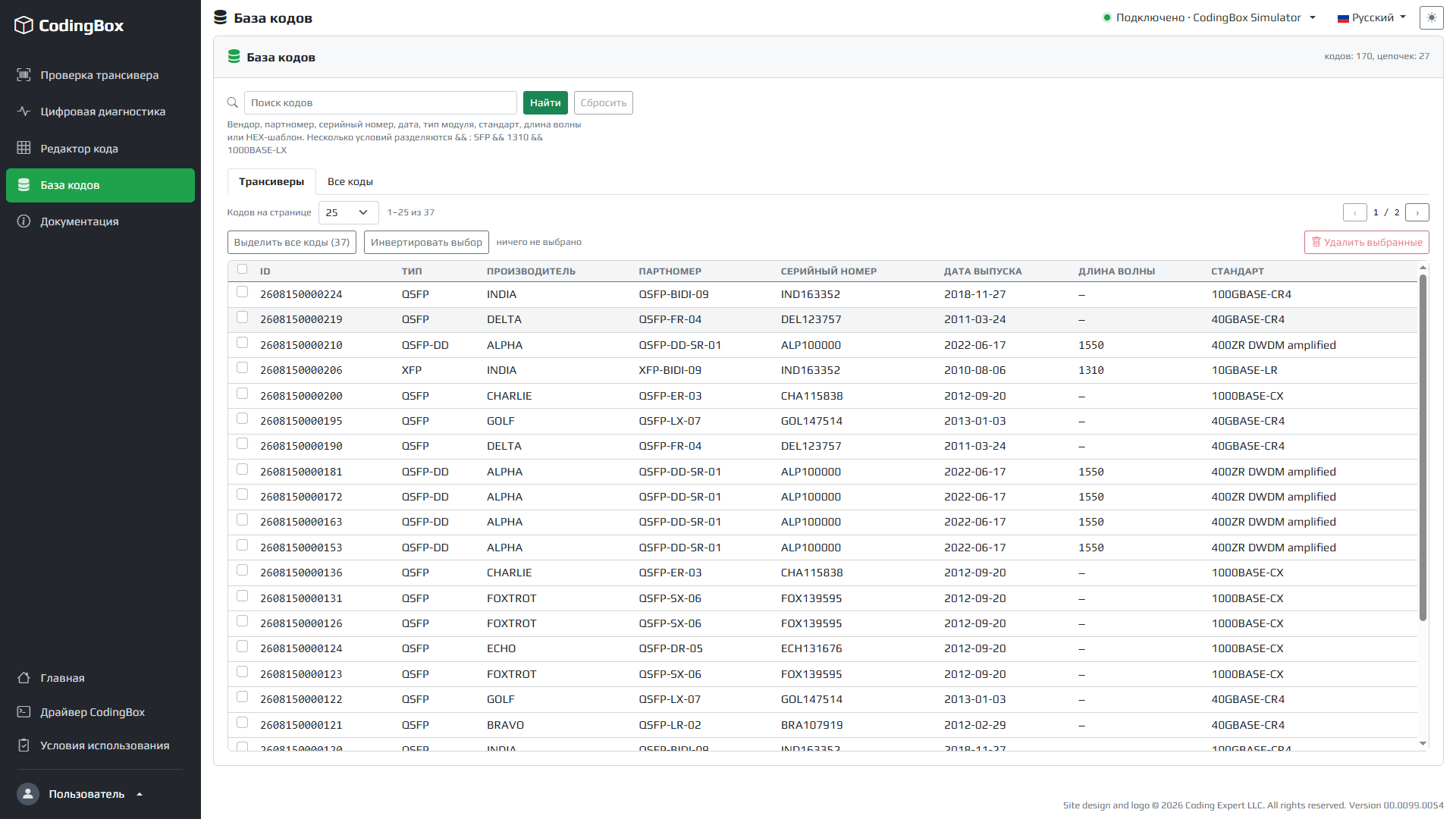
Database of Codes

Database of Codes

Everything you read is saved to a local database: code chains, search, wavelength and standard columns, Chain menu.

In three steps

How the demo works

Want to work with real modules over USB or a serial programmer? That needs the CodingBox Driver.
1

Launch

Open the app — the CodingBox Simulator is already selected as the programmer.

2

Connect

The demo connects for you and drops a random virtual module into the socket.

3

Explore

Read pages, decode fields, watch diagnostics, edit bytes, build a code database.

Ready to try it?